Live · bundled with Fieldbook for pilot contractors
Safetybook by MKTSS
The safety record, filled where the work is
The daily meeting, the toolbox talk, the hazard assessment, the pre-use inspection, the site walk and the incident report — each one a form on the foreman's phone, with the crew pre-filled from today's time card, signatures drawn on the spot and the record locked when it's signed off. The office sees today's compliance by project the moment it happens, and the program records WorkSafeBC and COR ask for live in the same place.
Twelve record types, one dashboard — six filled in the field, six kept by the office, all against the same projects, people and equipment as Fieldbook.
In the field
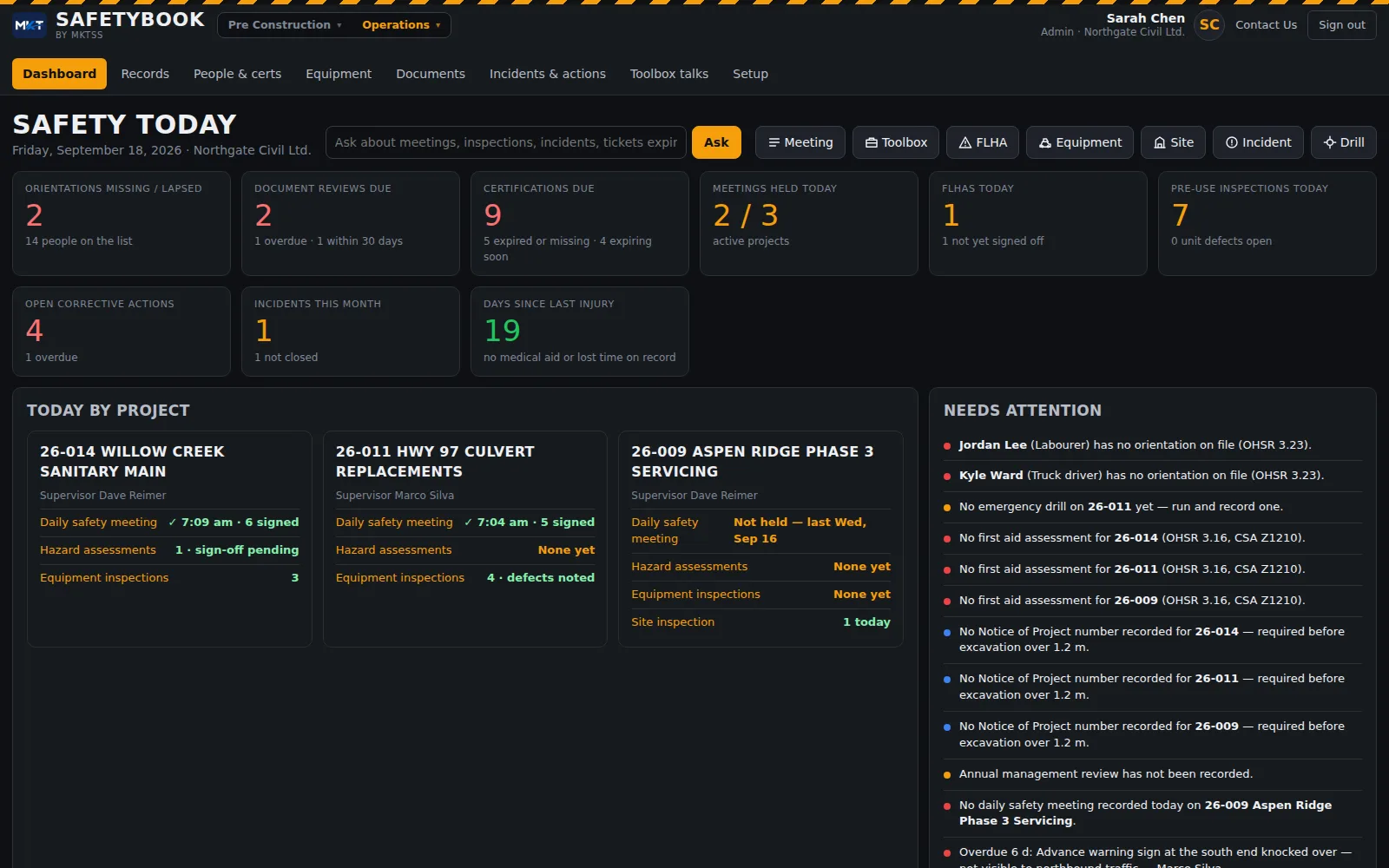
A form on the phone, not a clipboard in the truck
The foreman opens Safetybook on the phone at the tailgate. The project, the supervisor, the muster point and the crew are already there — the crew from today's Fieldbook time card. Topics are ticked, hazards and controls typed in, everyone signs with a finger and the time and GPS go on the signature. The supervisor's sign-off locks the record. Pre-use inspections are the same: pick the unit, Pass / Fail / NA down the list, a note on every fail, the operator signs. Nothing waits for the office.
Dashboard
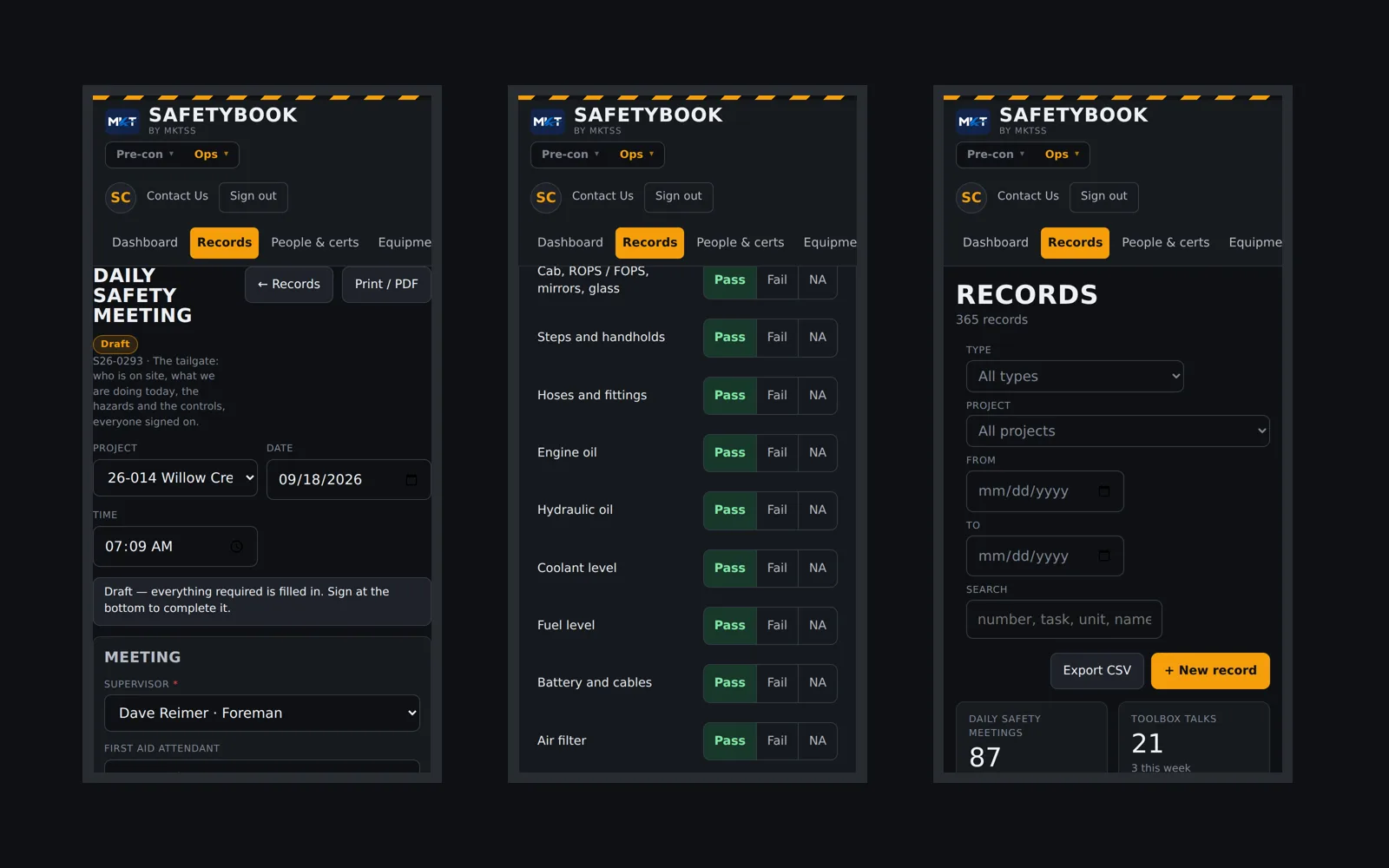
Today's compliance by project, before anyone asks
Was the meeting held on every active project today, and who signed it? Which FLHAs are still waiting for sign-off? Which units were inspected and which have a defect open? Then the counts that run the program: open corrective actions and how many are overdue, incidents this month, days since the last injury, orientations lapsed, certifications expiring, documents due for review. Underneath, an attention list written in plain sentences — a missing meeting, an overdue action, a notice of project that should be on file — each with the button that fixes it.
Field Level Hazard Assessment
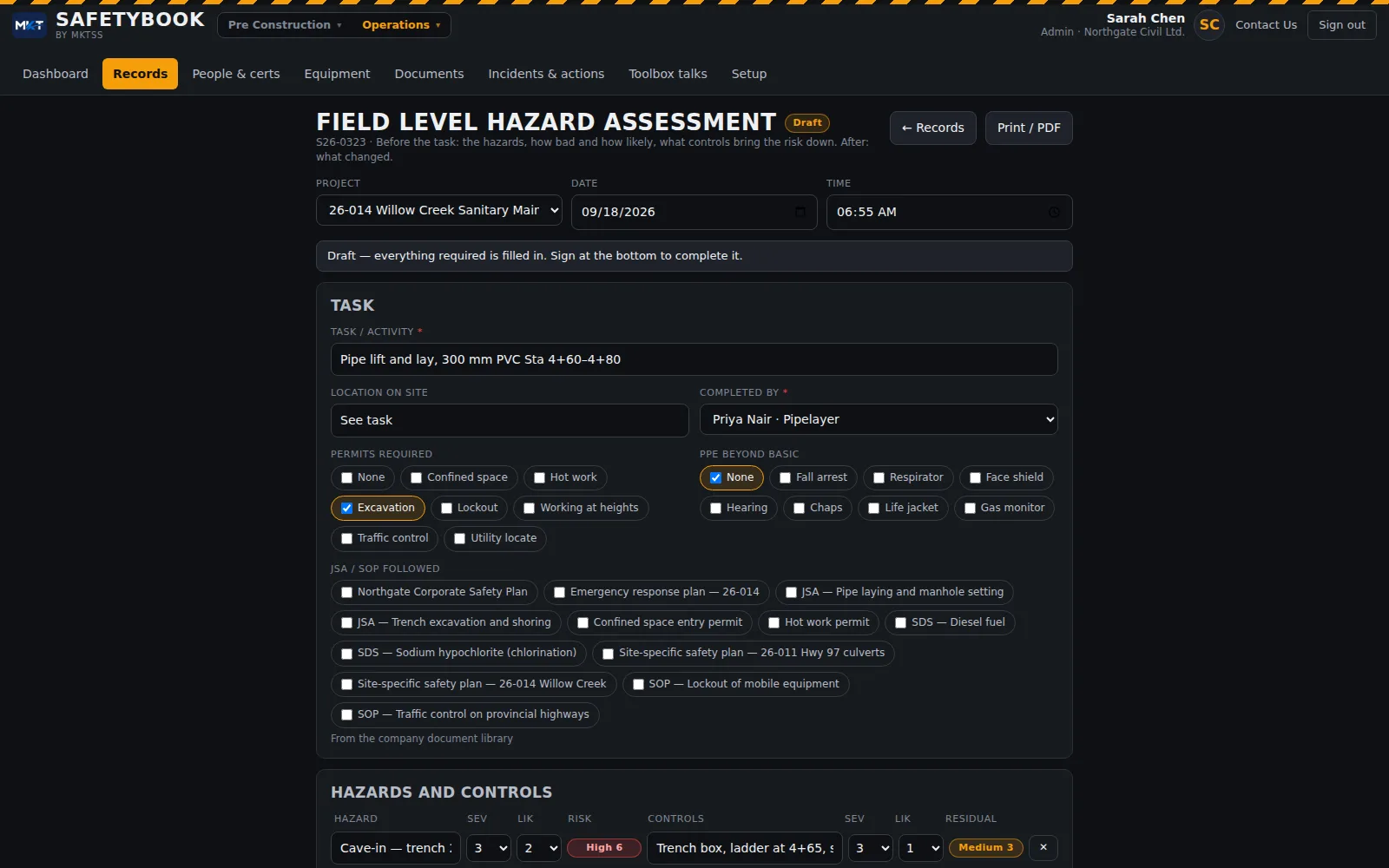
Severity × likelihood, before and after the controls
The task, the location, the permits and the extra PPE, then the hazard table: each hazard scored 1–3 for severity and likelihood, the controls that bring it down, and the residual score. Anything still High after controls needs the supervisor before work starts — the form says so. The JSA or SOP the task follows is picked from the company library, the crew signs on before the task, and the end-of-task section asks what changed and whether anything happened.
Equipment
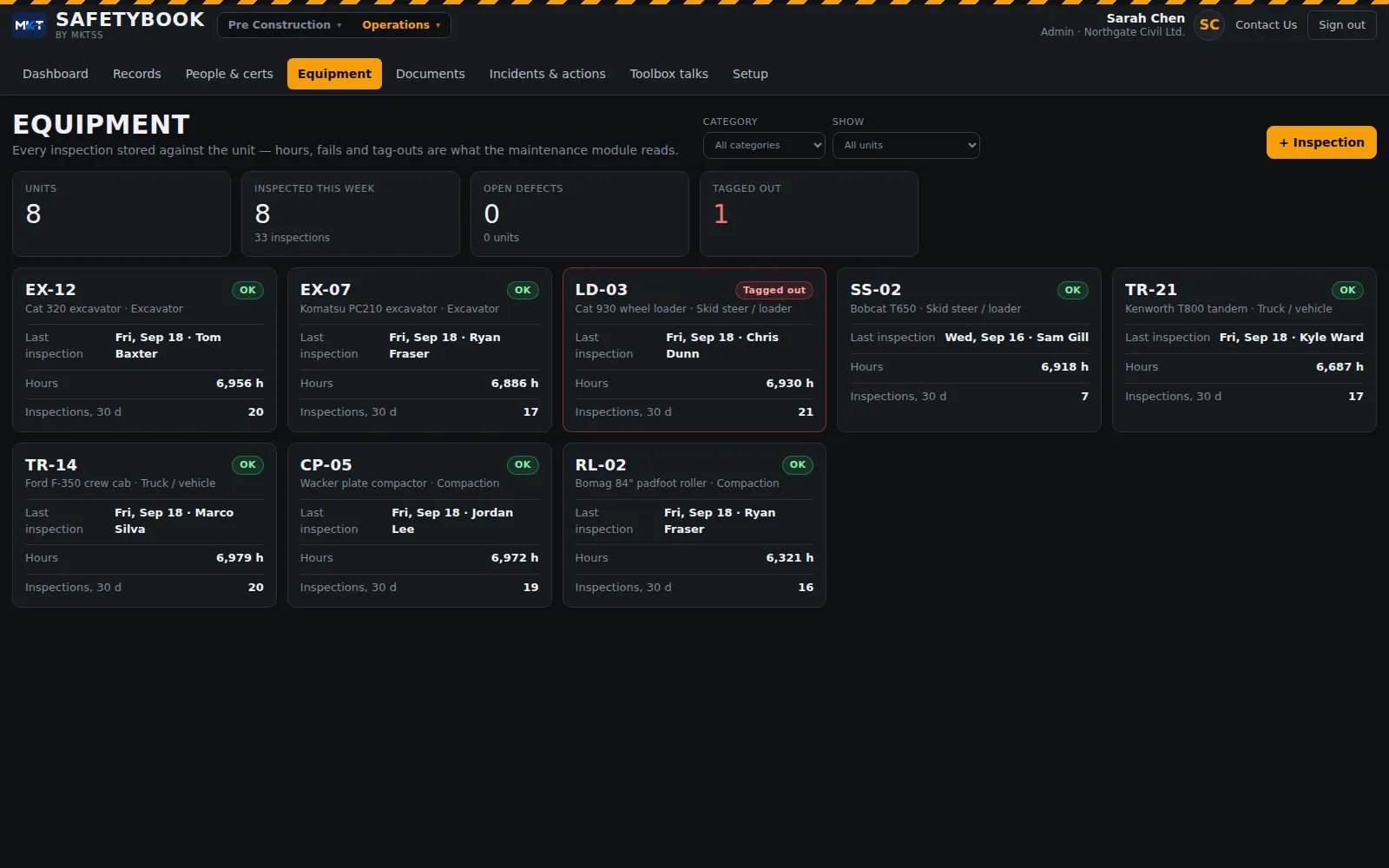
Every inspection stored against the unit
Each unit shows its last inspection, who did it, the hours, inspections in the last 30 days, open defects and whether it is tagged out. The checklist is built from the unit's category — an excavator gets tracks, pins and the quick coupler; a truck gets lights, hitch and the paperwork in the cab — on top of the items every machine shares. A fail is a defect with a note; "No — tagged out" flags the unit everywhere it appears. Inspections are stored against the unit with the hours, which is what the maintenance module will read.
Incidents & corrective actions
Report it the same day; review and close it in the office
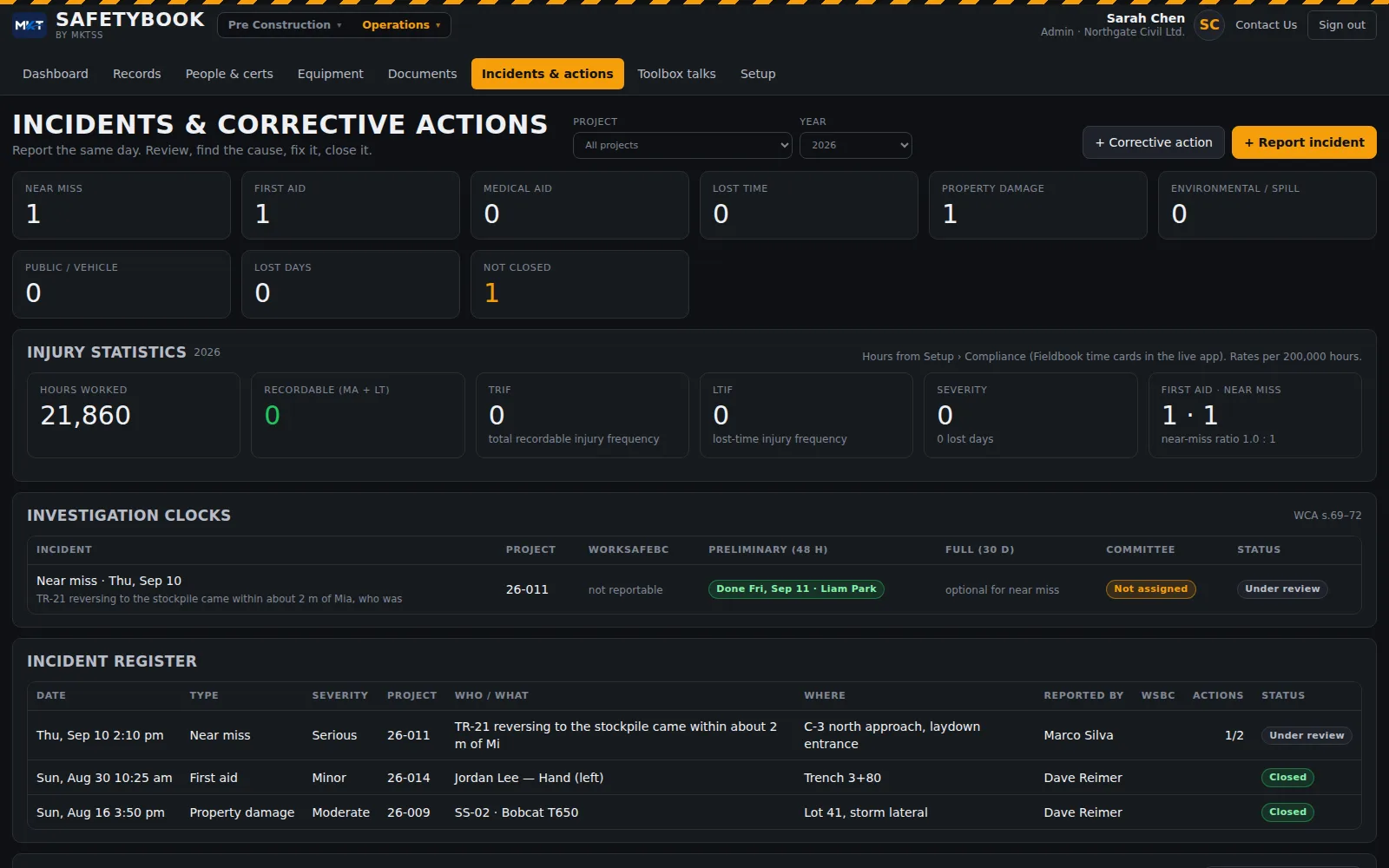
Near miss, first aid, medical aid, lost time, property damage, spill, public / vehicle — one form, with the injury section or the damage section appearing as the type needs. Witnesses sign their statements on the phone. The office side carries the WorkSafeBC notification, the claim number, the Form 7, and the investigation clocks the Act sets — preliminary in 48 hours, full in 30 days, the committee's copy — with each clock shown green or red on the register. Every corrective action from any record lands in one list: open, overdue, done, with what was done and who did it.
People & certifications
Who holds what, when it runs out, who needs retraining booked
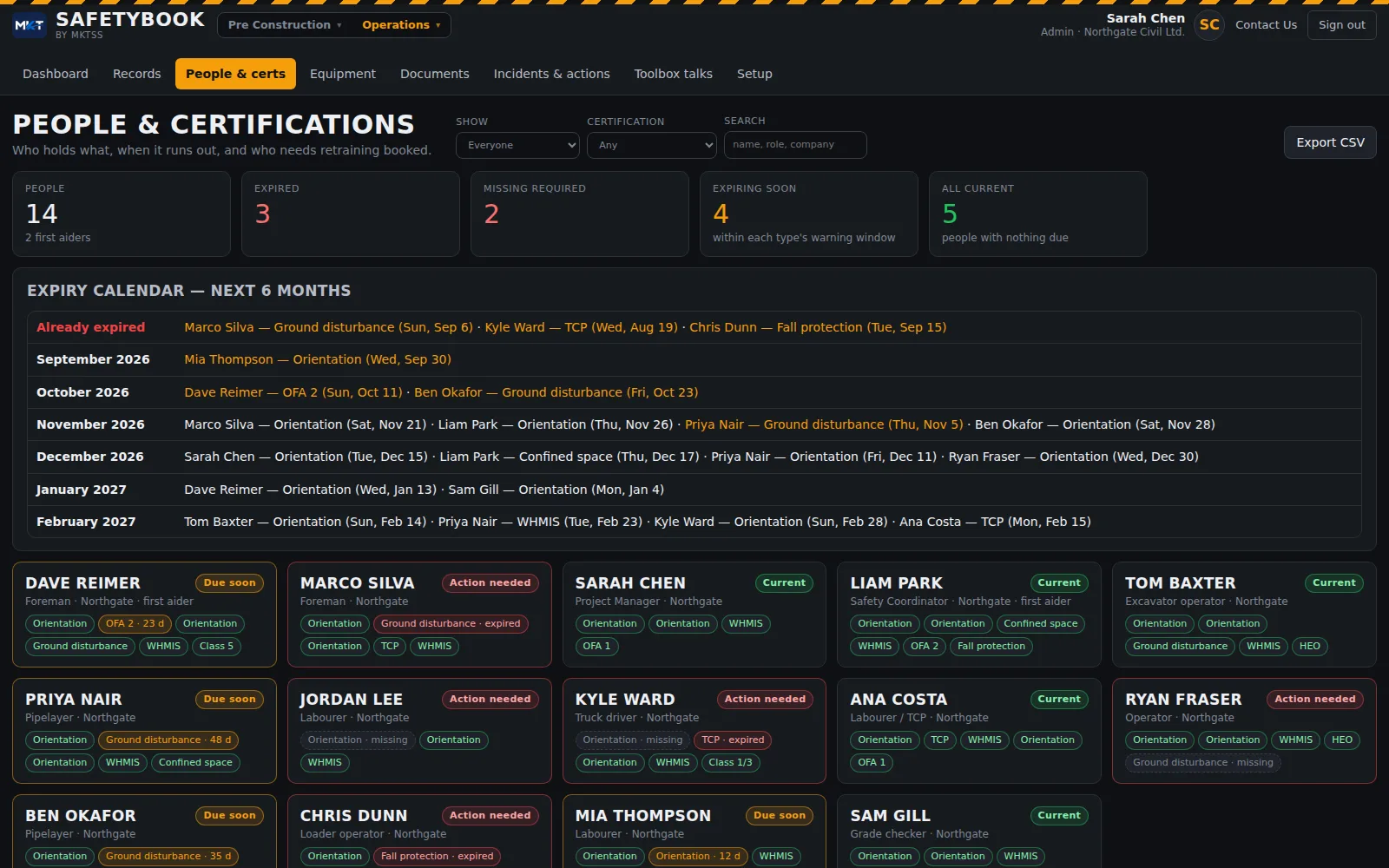
Every worker with their certifications — first aid, TCP, ground disturbance, confined space, fall protection, WHMIS, licences, orientation — as valid / expiring / expired / missing-required pills, with a photo of the card on file. An expiry calendar for the next six months. The dashboard warns ahead of each expiry, and a worker with a lapsed required ticket shows a ⚠ on the crew sign-on so the foreman sees it at the tailgate, not at the audit.
Documents
The safety program as a library, with review dates that chase you
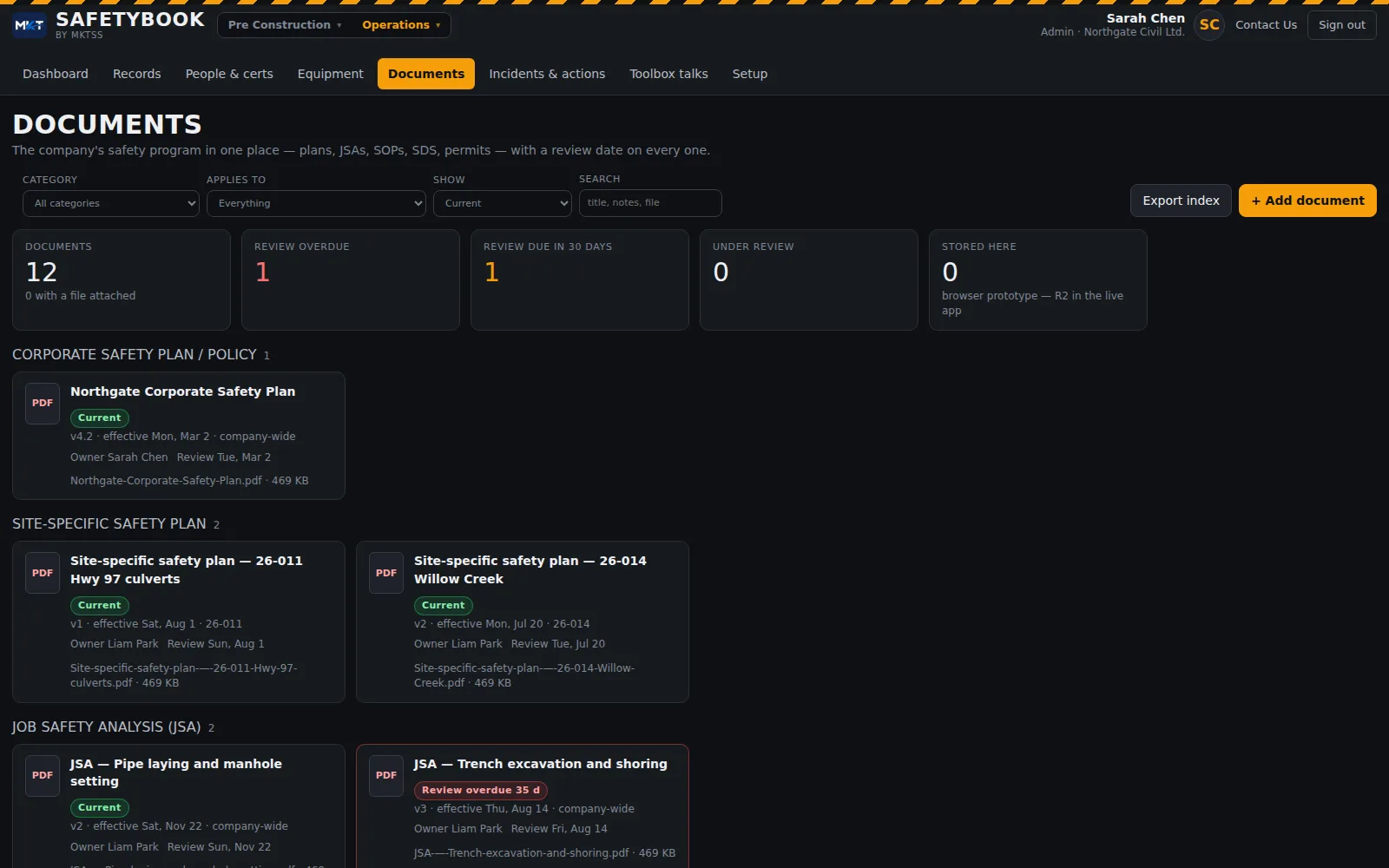
Corporate safety plan and policies, site-specific plans, JSAs, SOPs, emergency response plans, SDS, permit and form templates — each with a version, effective date, owner, what it applies to and a next-review date. The dashboard prompts 30 days ahead and flags overdue. New version supersedes and keeps the history. An FLHA or toolbox talk picks the JSA or SOP it follows from here, and each document lists the records that referenced it.
Toolbox talks
Write the talk once; foremen deliver it from the phone
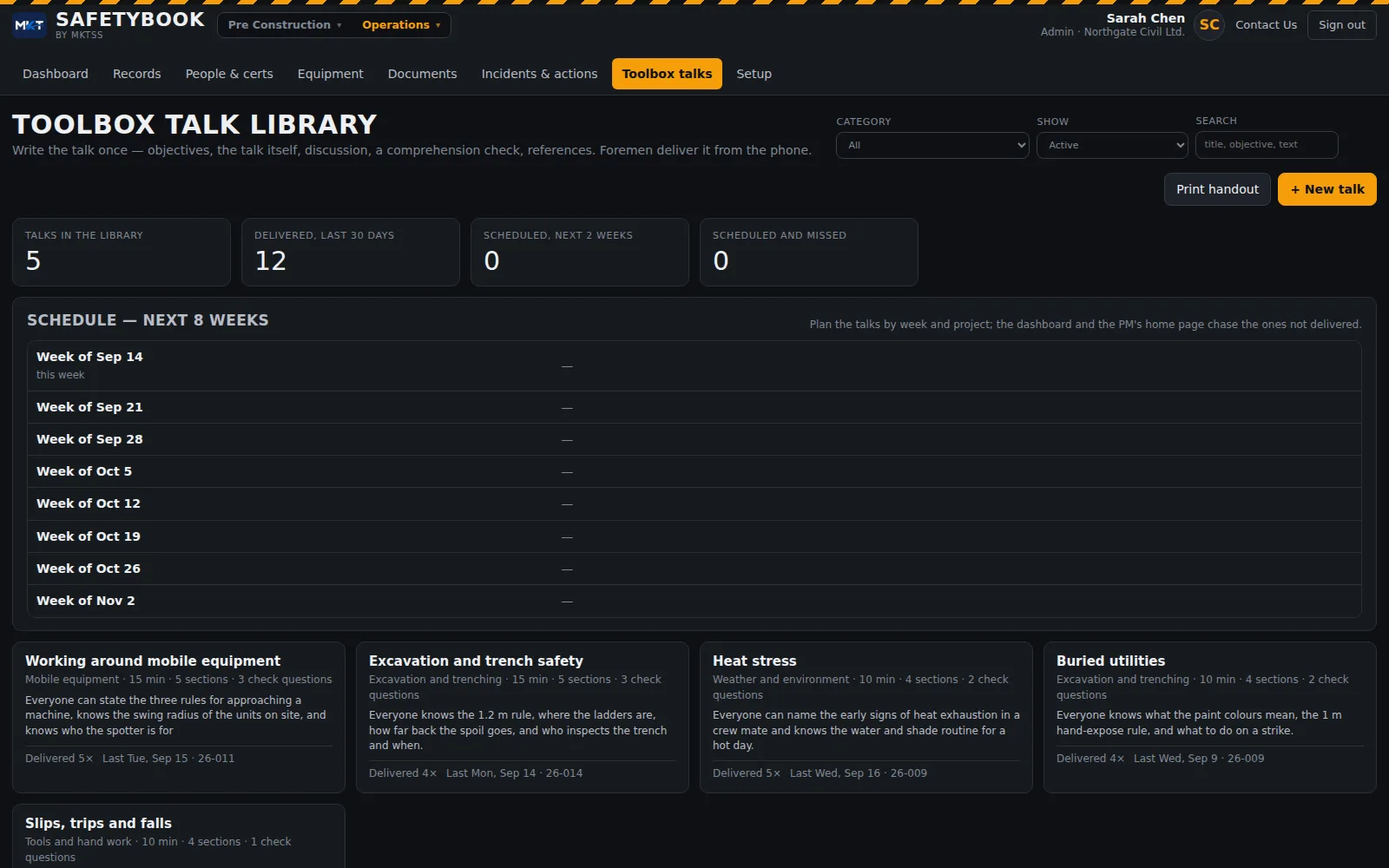
A library of talks — objectives, the talk itself in sections, discussion questions, a comprehension check, references, attachments — starting from MKTSS's civil-construction set and yours on top. Schedule them by week and project; the dashboard and the PM's morning briefing chase the ones not delivered. On site the foreman reads it from the phone, ticks each section as it's covered, records the discussion and who didn't get it, and the crew signs in.
WorkSafeBC & COR
The program records the auditor asks for, kept as records not binders
Safetybook was built against the OHS Regulation and the COR audit tool, not a generic checklist app. The six office record types cover what the field forms don't: new worker orientation (OHSR 3.23, signed by both), JOHS committee meetings with minutes, quorum and the posted copy, emergency drills by scenario, the first aid assessment (OHSR 3.16, CSA Z1210) per project, the exposure assessment and the annual management review. Each one has a cadence — orientation validity, committee every 31 days, drill every year, site inspection weekly, management walk monthly — and the dashboard says when it's due. Injury statistics run from the hours worked: recordables, TRIF, LTIF and lost days by year.
Your forms
Open a form, see it the way the crew does, move things around, add what you need
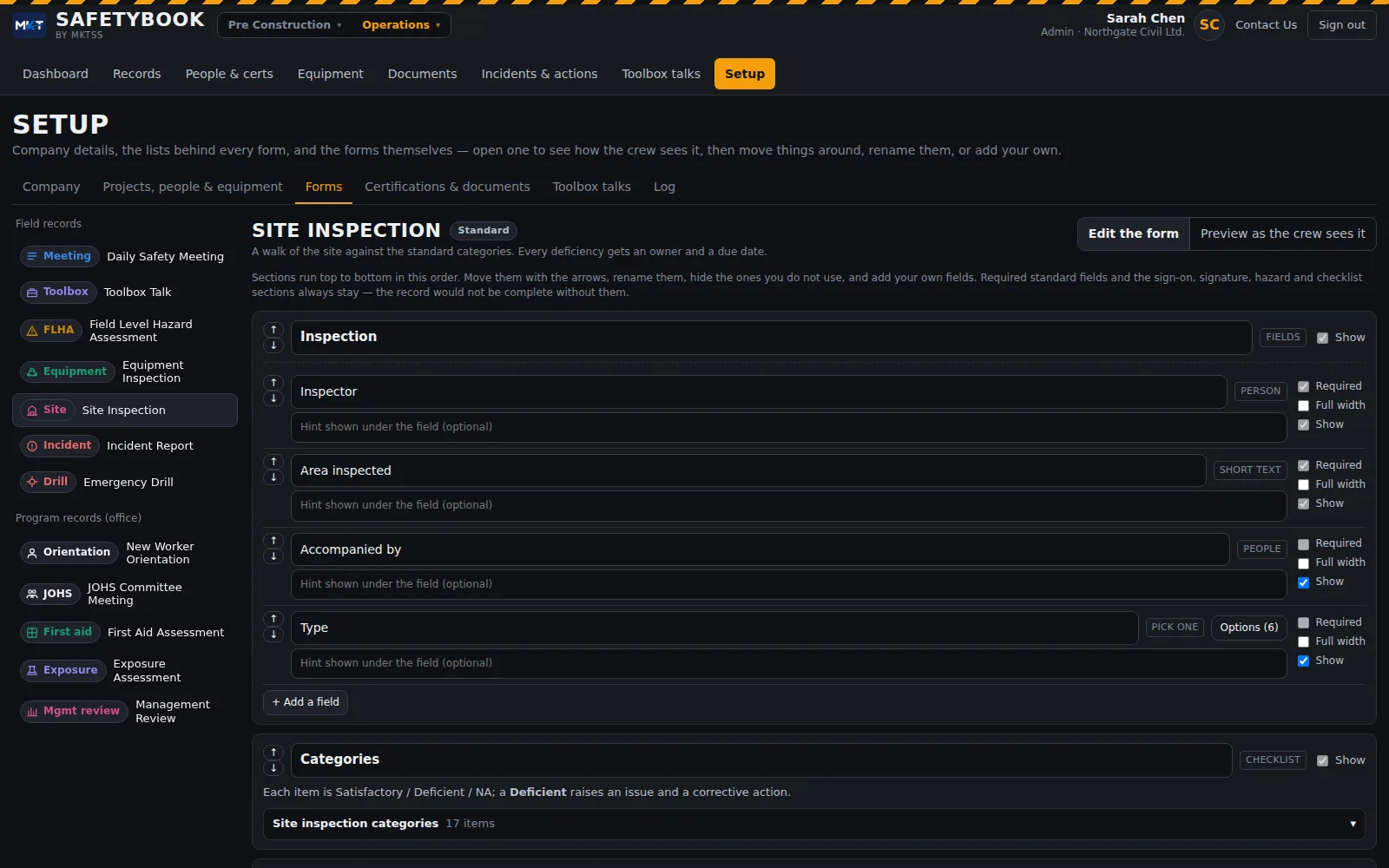
Every record type is a form you can shape from Setup: open it, see the sections as the crew sees them, hide the ones you don't use, reorder them, rename fields, mark them required, add your own fields and sections — short text, numbers, dates, Yes / No, pick-lists, people, equipment, documents. The standard fields and the sign-on, signature, hazards and actions sections stay so the record is always complete. Company details come from the global Company page and are locked here. Record numbering, the topic lists, inspection categories, certification types and document categories are yours to edit.
With Fieldbook
Same projects, same people, same morning
Safetybook runs inside the same sign-in as Fieldbook. The crew on today's time card is the crew on the meeting; the foreman's Fieldbook has a Safety tab with the day's forms; the project manager's morning briefing carries the safety items next to the cost ones — a missed meeting, an overdue corrective action, a toolbox talk not delivered, a ticket expiring on someone due on site Monday. The Safety Manager is a paid office seat with the whole program; foremen get the field forms with their Fieldbook access.
Everything in Safetybook today