Live · in pilot with BC civil contractors
Fieldbook by MKTSS
Daily field costing that runs the job
Time cards from the crew, unit costs against budget by the next morning, extra work reports and progress claims written from the same cards, and a morning briefing that tells the PM what needs attention. Web-based, phone-friendly, on your own cost codes.
Unlimited users — every foreman gets a login. Nothing to install.
Time cards
Two minutes at the end of the day
The foreman picks the project and the day, adds a line per cost code, taps the people and machines on it and enters the hours and the production. Materials, subcontractors and trucking go on the same line. Cost and hours total as they type; a card can be copied to the next day and edited.
Only codes with a budget on that project show up, plus the extra-work codes, so nothing lands on the wrong item. Site and ground conditions, weather and any delay are recorded on every card — the facts you need months later for a claim, captured while they are fresh.
- Cost code lines with multiple employees and equipment each, hours per person when someone leaves early (with the reason)
- Production per code in the code's own unit — m³, m, t, loads, each — with a prompt when it is more than 10% off the job's running rate
- Weather, temperature, ground conditions and hours lost; delay type split into owner-side, contractor-side and contract-dependent
- Draft → Submitted → Approved, with the approver seeing every flag and reason; approved cards lock
- Recently used people and equipment first; trucking by the hour or by the tonne / m³
- Hard blocks only for what can't be right — everything else is a question, not a wall
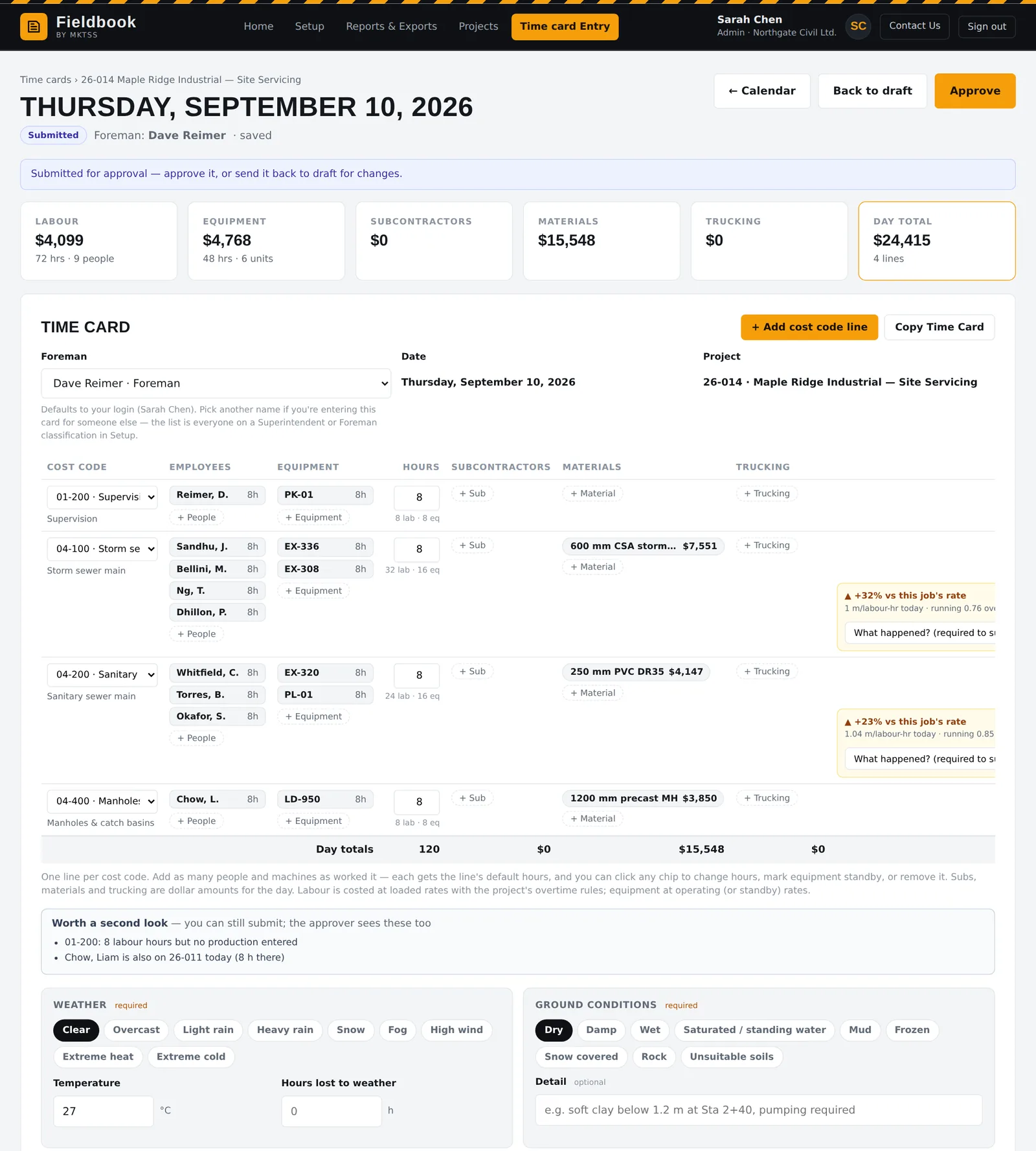
A submitted card as the approver sees it. The full page scrolls; the line off the running rate is asking for a reason.
Budgets & costing
Unit cost versus estimate, every morning
Budgets are entered or imported by bid item — quantity, and estimated cost split into labour, equipment, materials, subs and trucking — and mapped to cost codes. From then on every approved card updates the project: cost to date by bucket, production to date, unit cost against the estimate, and earned value against actual cost over time.
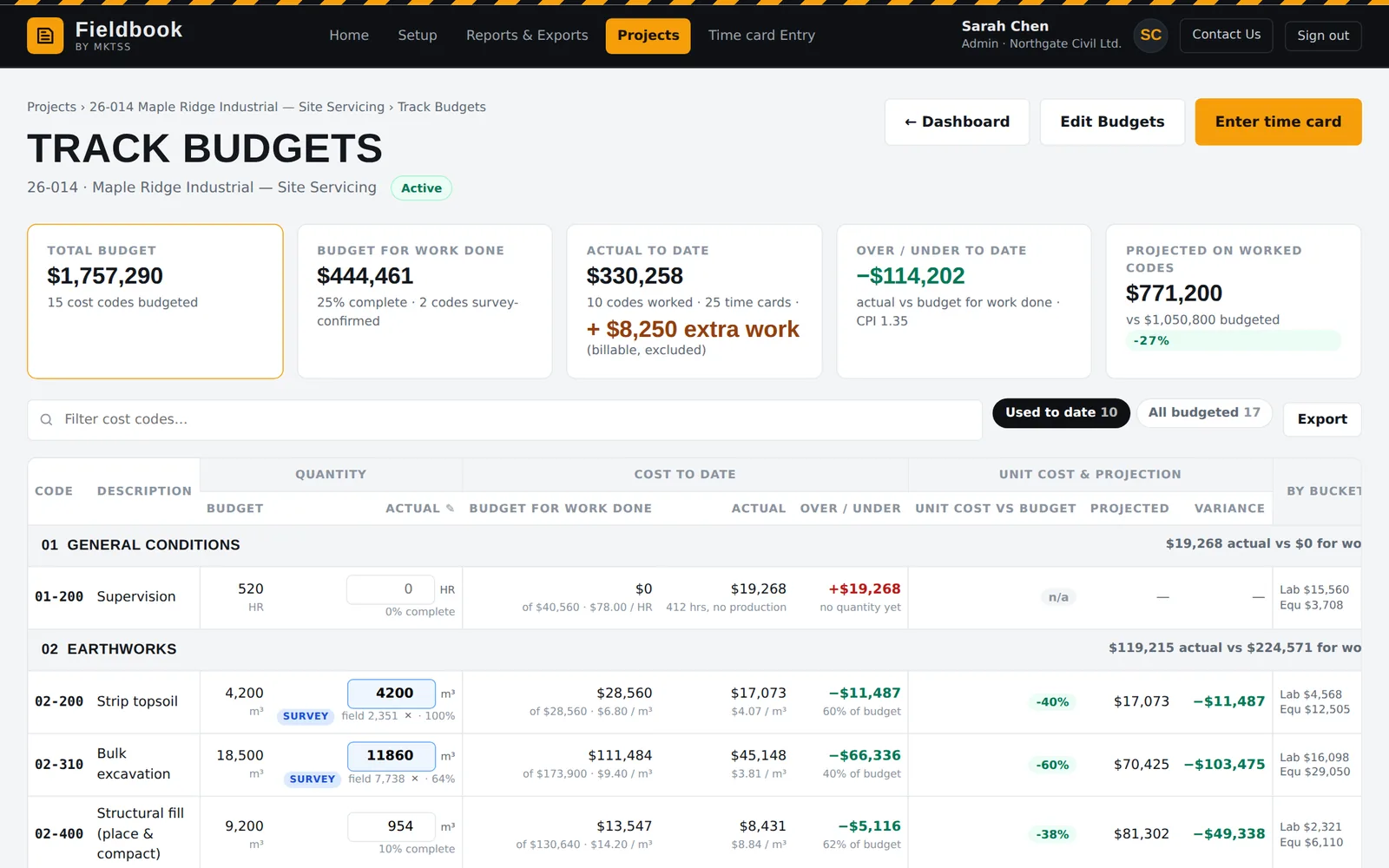
Track Budgets shows it by cost code: hours, cost, production, unit cost vs budget and where each code will finish at the current rate. The same numbers roll into cost by code and project summary reports.
- Budget by bid item with labour / equipment / materials / subs / trucking columns; bid unit prices for claims
- Project dashboard: budget vs actual per bucket, cumulative earned vs actual chart, click a tile to chart one bucket
- Track Budgets by cost code with unit cost to date and projected finish
- Sales tax handled properly: PST on materials, GST separate, per-project rates, and an "includes tax?" check on entry
- Overtime by BC Employment Standards — 1.5× after 8, 2× after 12, 1.5× over 40 — editable per project, with Saturday / Sunday / stat multipliers
- Survey-confirmed quantities override field production for billing; field quantities are never assumed to be payable
Extra work & delays
The force account report exists the moment the time is coded
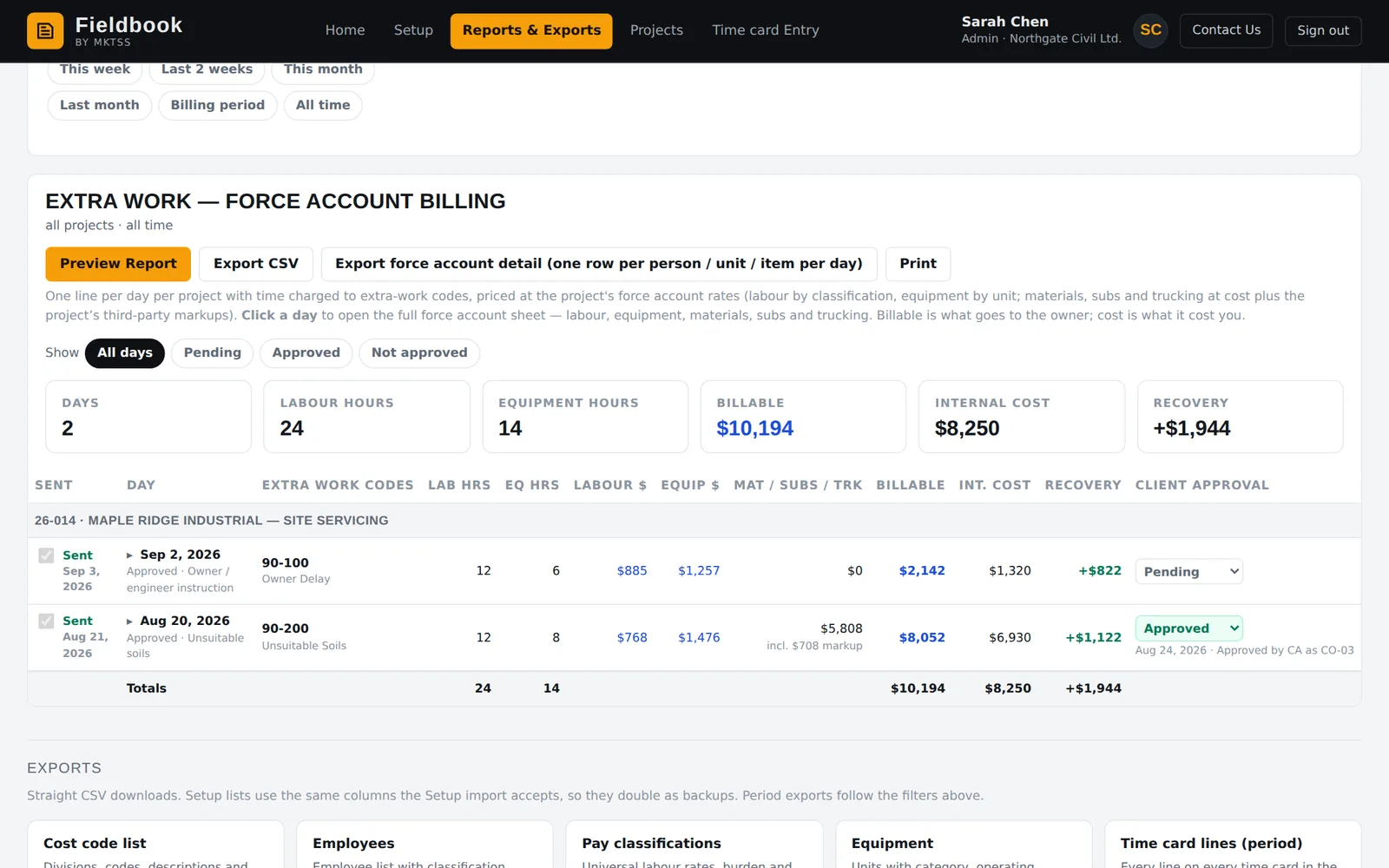
Charge time to an extra-work code — owner delay, unsuitable soils — and Fieldbook prices it at the project's force account rates: labour by classification, equipment by unit (operating or standby), and materials, subs and trucking at invoiced cost plus your markups. The report is on your letterhead, addressed to the owner's representative, with the description, cause and hours lost from the card.
Send it from Fieldbook and it goes as a PDF from your company name with the PM as reply-to; the send is recorded, and the client's approval or push-back is tracked so only approved extra work reaches the claim. The internal cost sits beside the billable so you catch a missing rate before the owner does.
- Force account rates default to loaded cost + 25% and are editable per project; third-party markups per project
- One report per day per project, with Preview, Print / PDF, Email and one-click Send
- Client approval status per report — pending, approved, not approved with the client's note — filters what gets invoiced
- Foremen can preview and send their own extra work reports; submitting a card with extra work prompts them
- The below-cost check: billable vs internal cost, shown to you, never to the client
Progress claims
From measured quantities to a claim in minutes
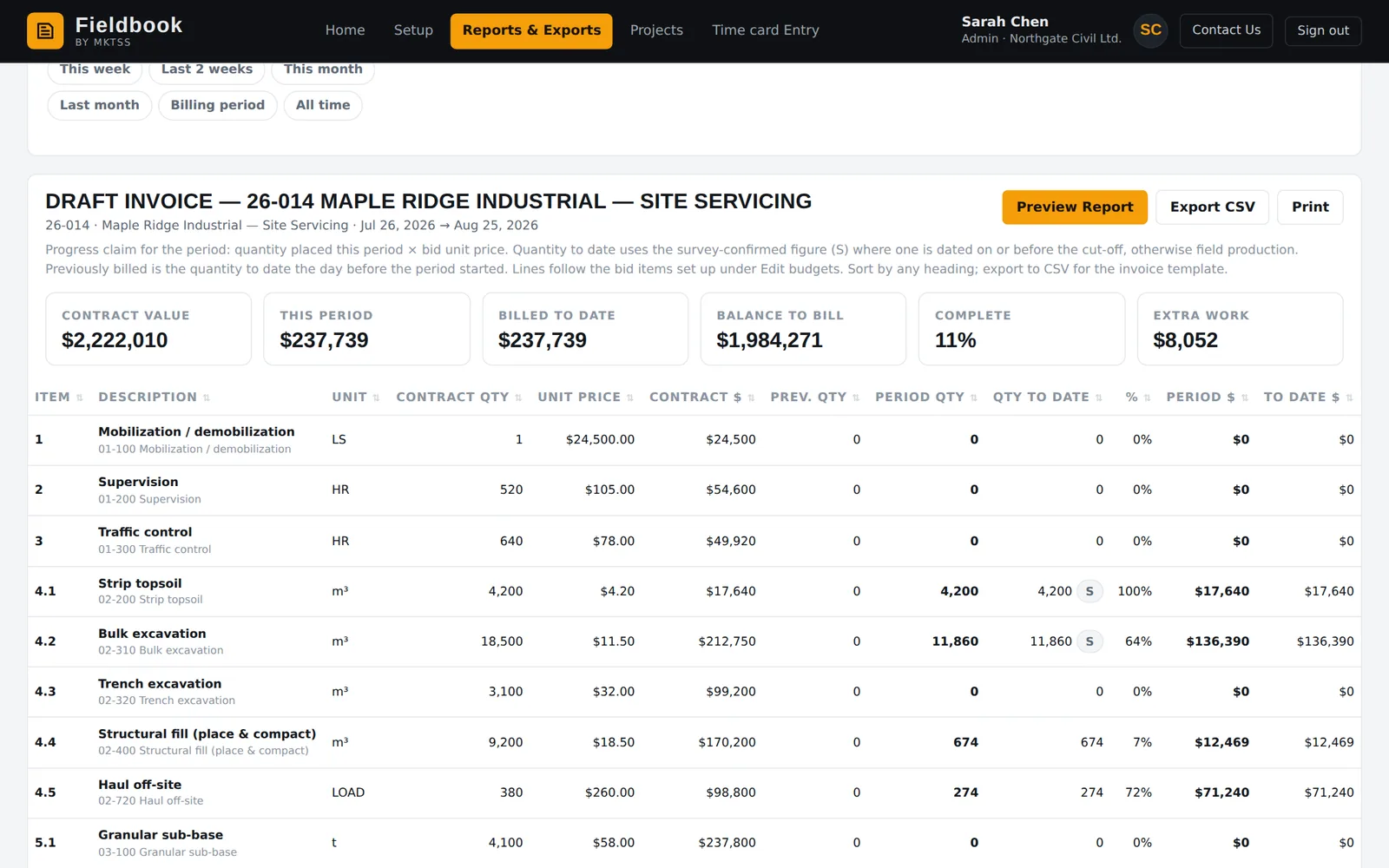
Pick the period — the 25th to the 25th is typical — and Fieldbook builds the claim by bid item: quantity to date × bid unit price, less previous claims, plus owner-approved extra work, less holdback, plus GST. Survey-confirmed quantities are used where you have them; anything not yet approved is listed separately as held back so nothing is billed by accident.
The draft invoice goes to the contract administrator as a PDF from your letterhead, is recorded as submitted, and claims already sent are listed newest first with their amounts.
- Bid-item claim with previous claims netted off; 10% holdback and 5% GST defaults per project (Builders Lien Act, BC)
- Only client-approved extra work is billed; the rest shows as held back with the reason
- Survey-confirmed quantities per cost code, with who confirmed them and when
- Sent claims tracked with a manual "submitted" mark for claims sent outside Fieldbook
- Every send kept as the PDF the client received
Reports & exports
Payroll, equipment, cost by code — on screen or CSV
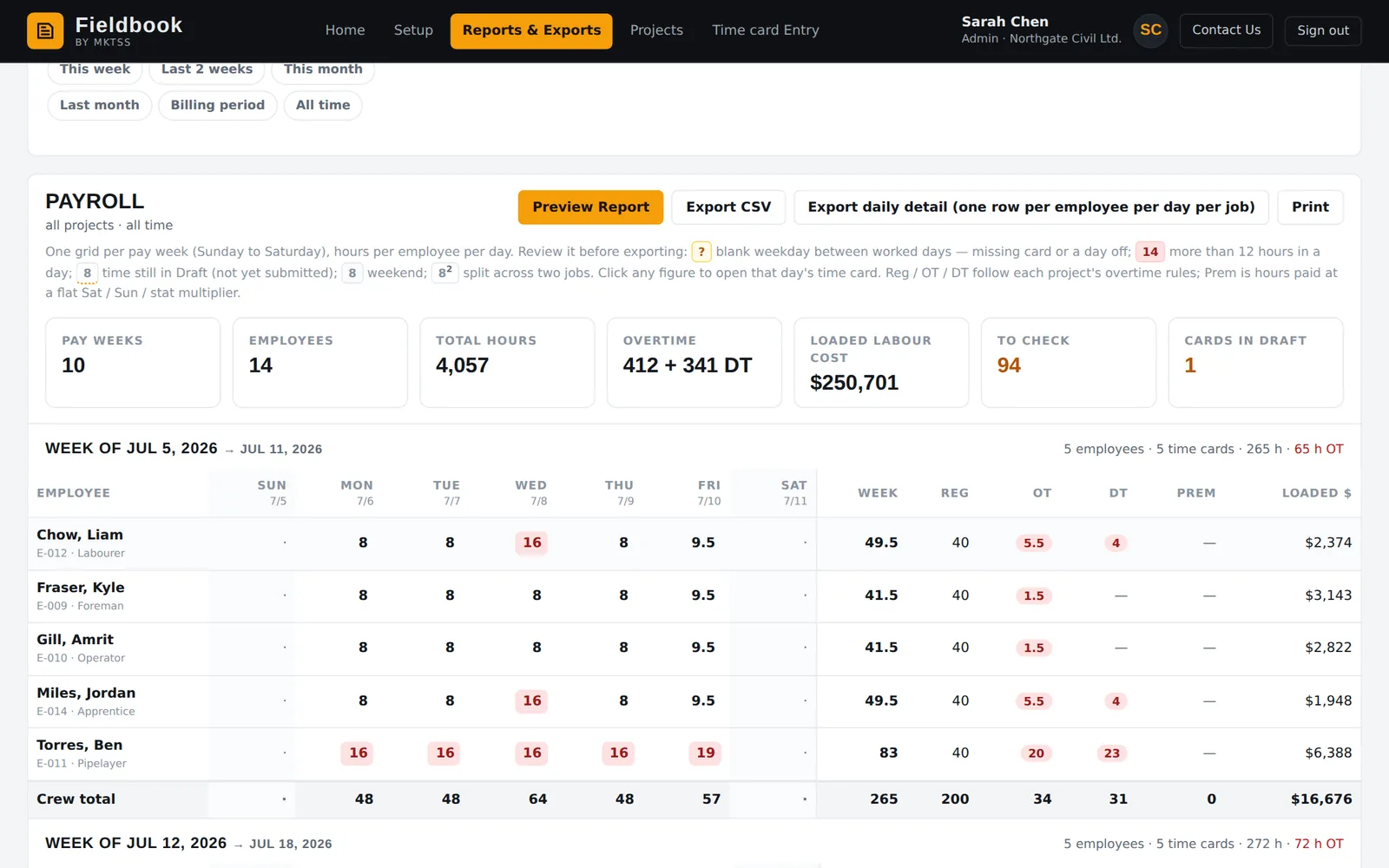
Internal reports for the office: payroll by pay week with regular, overtime and double-time per employee; equipment use by unit and cost code with operating and standby hours; cost by code with unit costs; project summary across every job. Client reports — extra work and the draft invoice — carry the letterhead and go out by email.
Everything filters by project, date range and time card status (approved only, or including submitted and draft), and exports to CSV for your accounting or payroll system.
- Payroll: Sunday-to-Saturday weeks, reg / OT / DT by the project's rules, one section per week for biweekly cutoffs
- Equipment use: hours and cost by unit, by project and cost code, operating vs standby
- Cost by code: hours, cost by bucket, production, unit cost vs budget
- Project summary: budget vs actual across all jobs
- Report previews and Print / PDF on every report; force account detail export one row per person / unit / item per day
Morning briefing
Open it and the day is already triaged
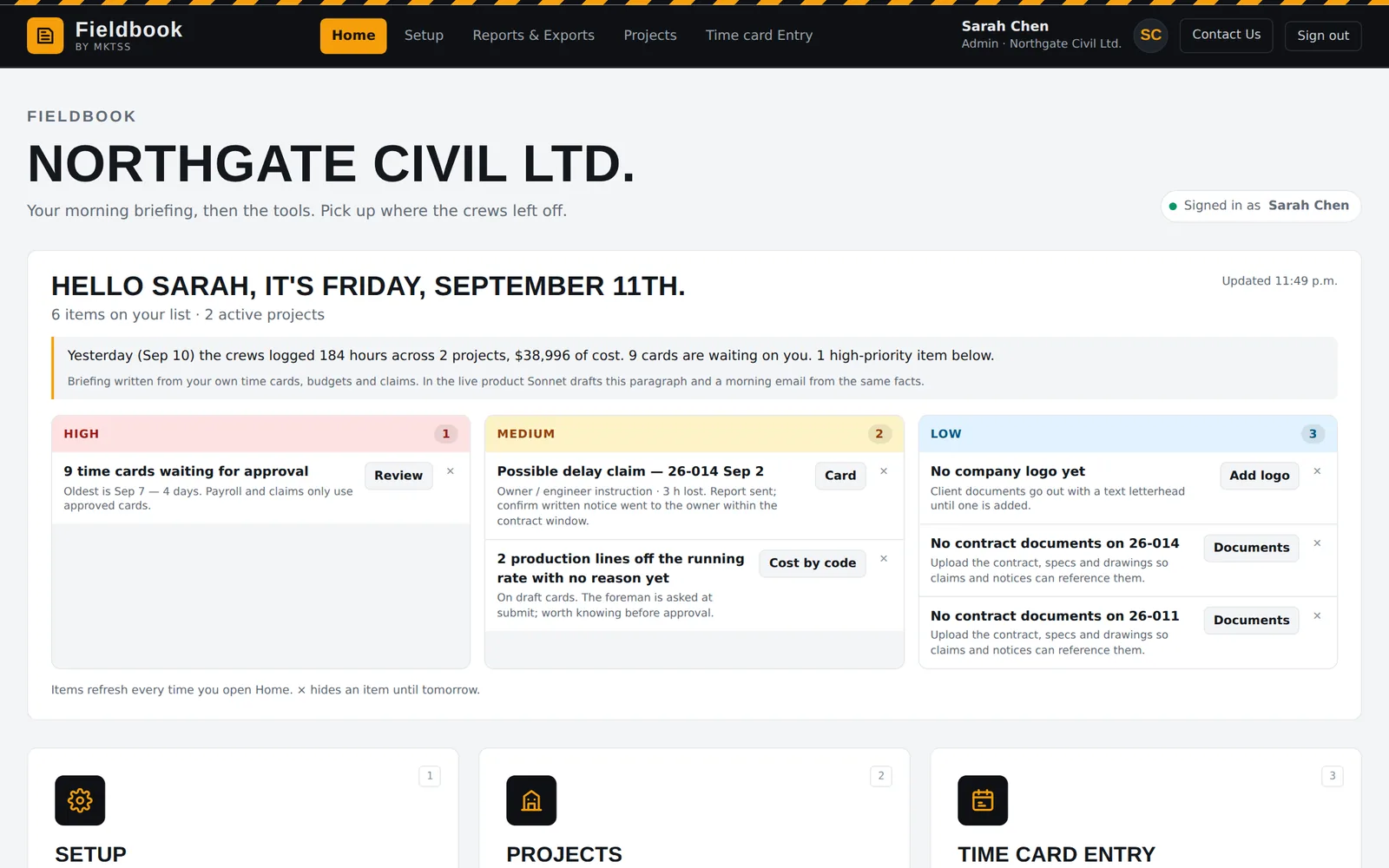
The home page reads your time cards, budgets and claims and writes the morning briefing: what the crews logged yesterday, what is waiting on you, and a prioritised list — high, medium, low — each with the button that fixes it. Time cards waiting for approval and how old the oldest is. Production lines off the running rate with no reason yet. An owner-side delay that may need written notice within the contract window. A project with no contract documents on file.
Dismiss an item and it stays gone until tomorrow. Nothing is emailed anywhere until you ask.
- Yesterday's hours, projects and cost in one sentence
- High / medium / low punch list from rules over your own data
- Possible delay claims flagged from delay types on cards
- Coming: the same briefing as a morning email, and contract-aware notice deadlines
Setup & rates
Your codes, your classes, your rates — set once
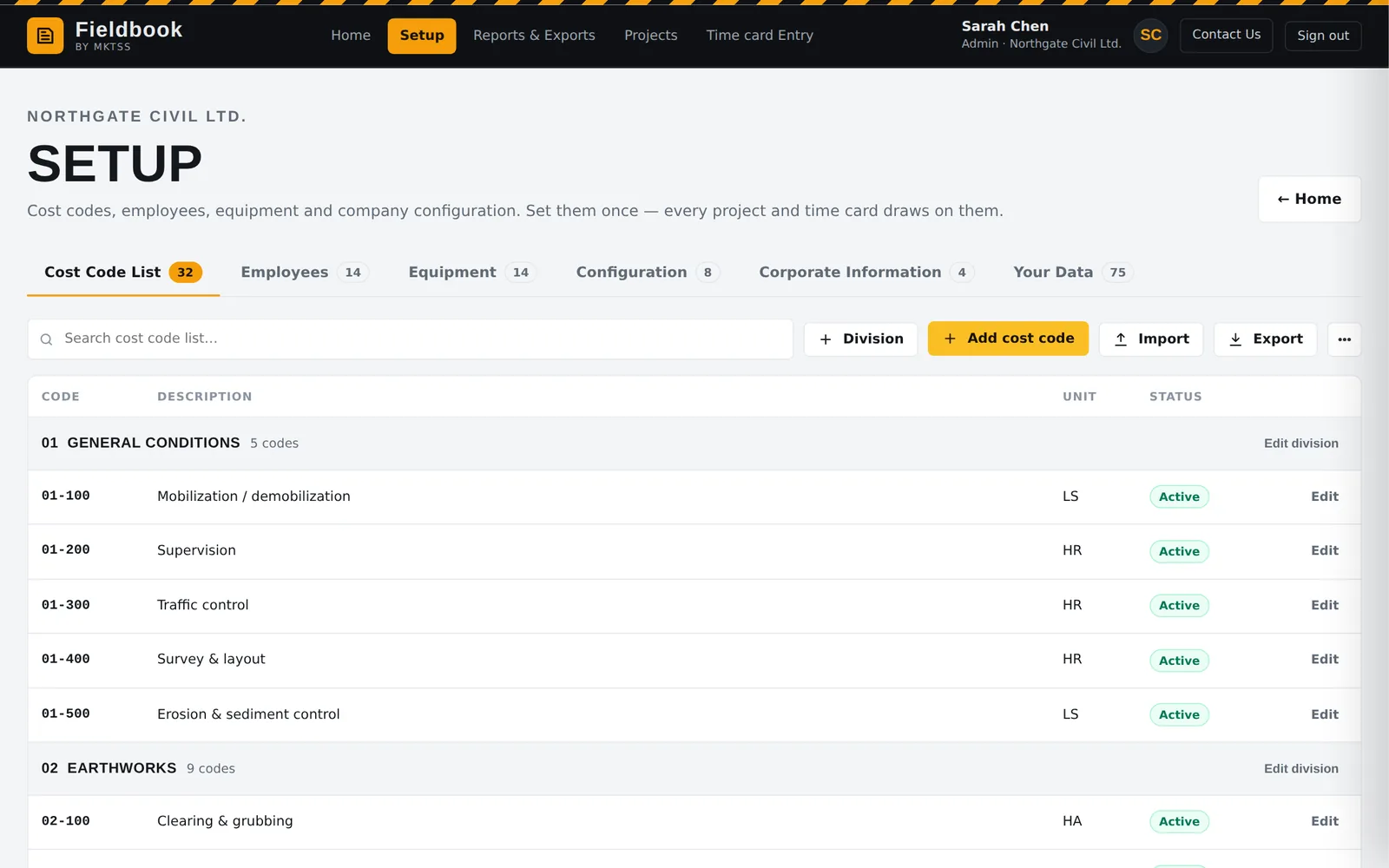
Setup holds the master lists everything else draws on: divisions and cost codes with a unit of measure each, labour pay classifications with regular rate, burden and force account rate, employees on a classification (or with their own override), equipment with operating, standby and force account rates, all rate changes dated so history costs at the rate that applied. Import from CSV or type it in.
Corporate information — legal name, address, GST number and logo — becomes the letterhead on every client document. Every cost code is mapped to a standard activity so productions compare across jobs and years, which is what the estimating loop will run on.
- Two-level cost codes (division → code), client-configurable; extra-work division never budgeted
- Labour classes with dated rates; employees inherit or override; force account = loaded + 25% by default
- Equipment by category with operating / standby / force account rates
- Corporate information and logo for the letterhead
- Units of measure per code, metric or imperial sets
- Historical job costing import with evidence weighting — itemised entries count for more than yearly totals
Data, roles & security
Built to be trusted with the job record
Fieldbook runs on Cloudflare's network (Western North America region), every tenant isolated, every change logged, and a full export one click away. Your rates and productions are your competitive advantage — MKTSS does not share or sell customer data, full stop.
Everything in Fieldbook today